With Helppier you can speak to customers in the same language. In this article we explain step-by-step how to translate your guides.
1 - Click on the "Settings" icon located in the widget sidebar;
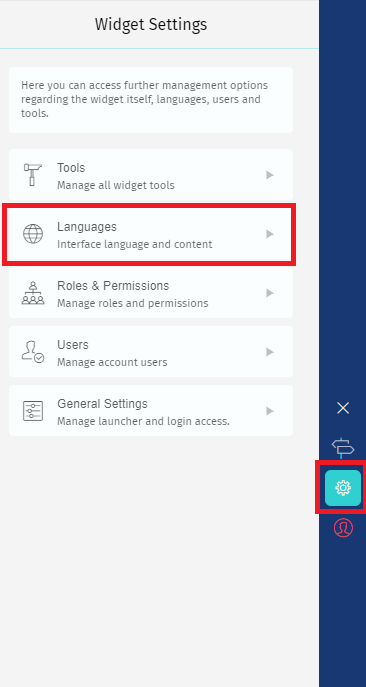
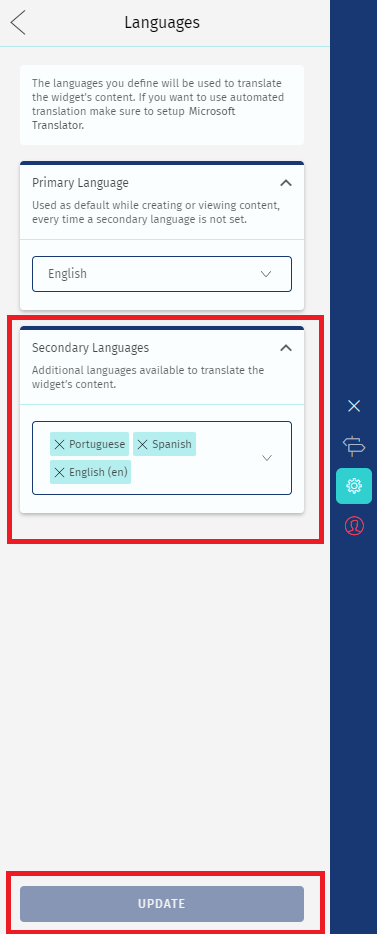
2 - In the option "Languages" select the secondary languages you want to translate to.
Make sure to click on "Update" to save all changes.
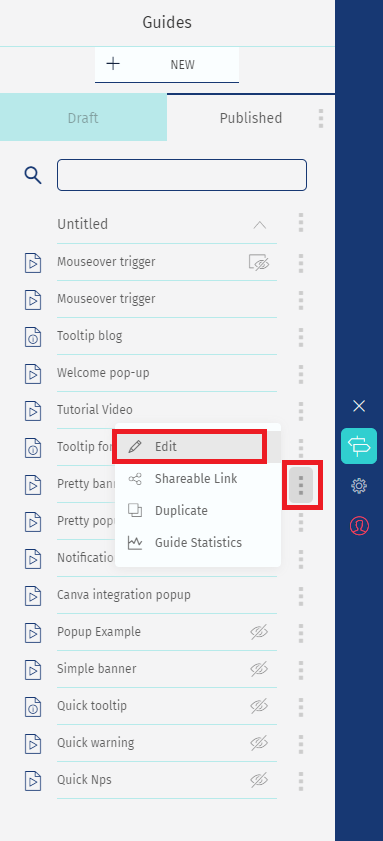
3 - Go to the guides list and access the guide you'd like to translate.
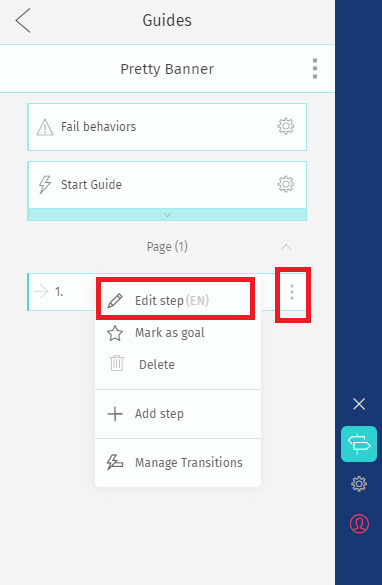
4 - Click "Edit Step" to add a translation to a specific step of your guide.
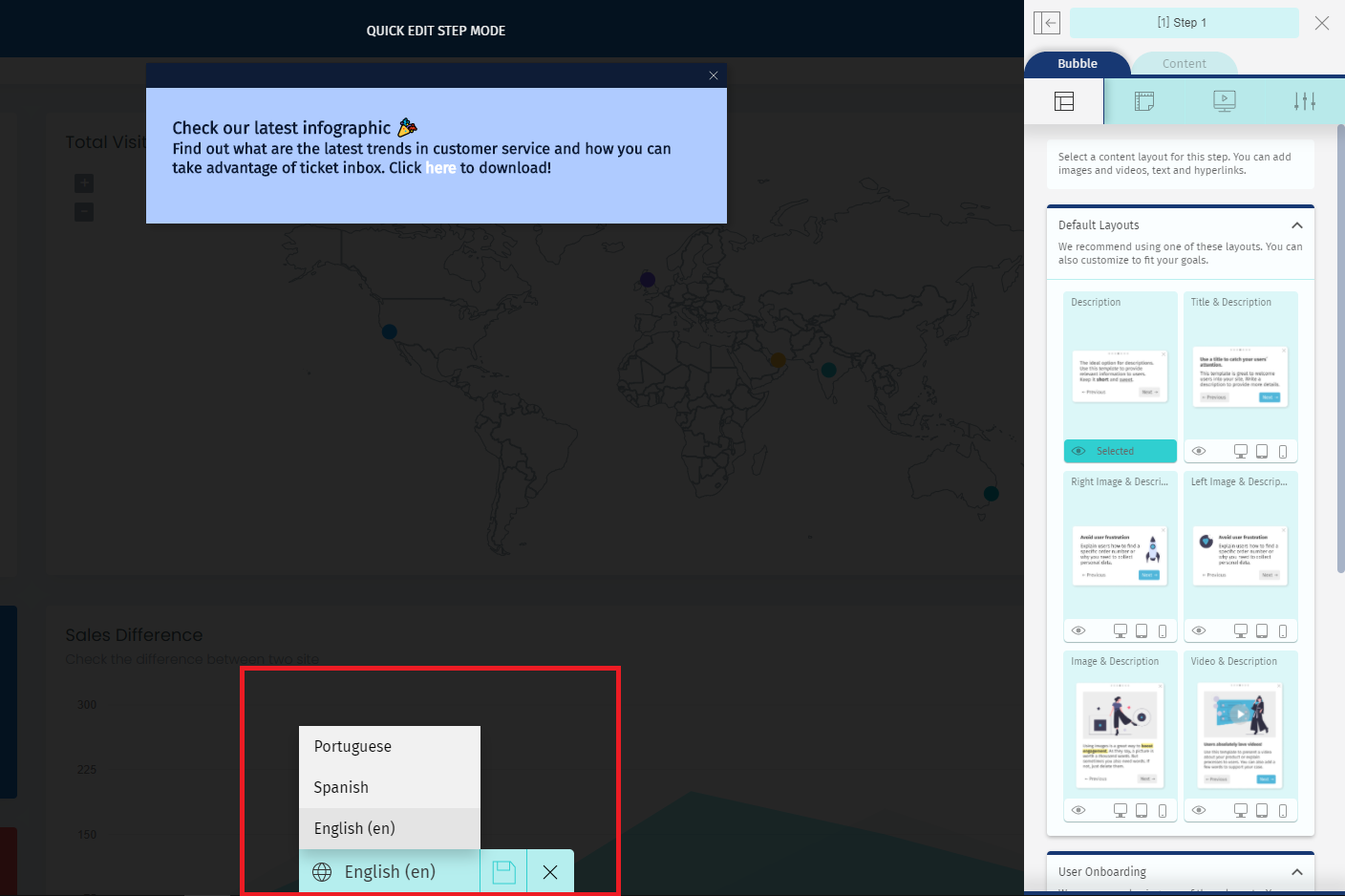
5 - You will enter Quick Edit mode. Select the language you want to add a translation in the bottom bar.
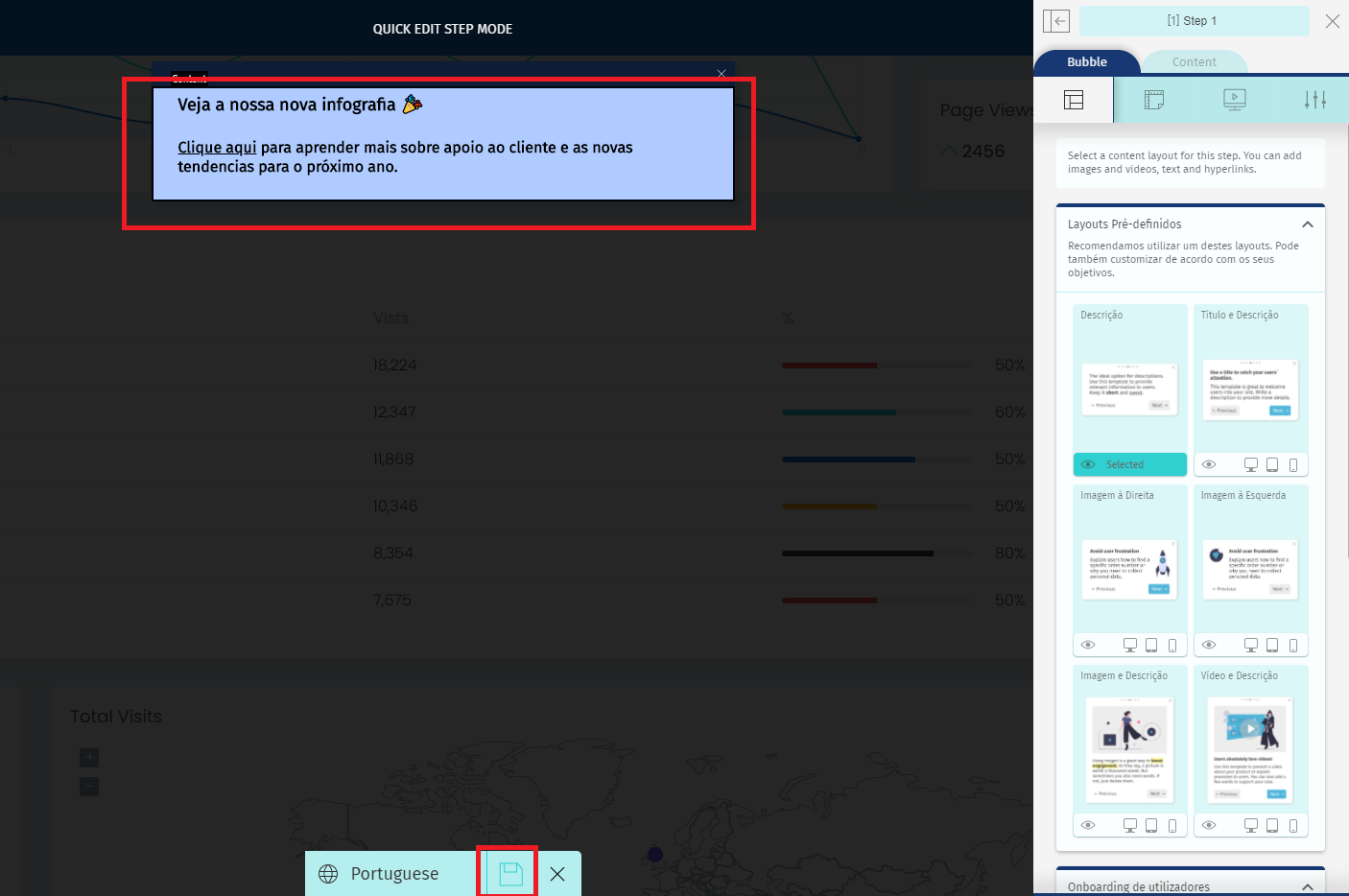
6 - Make the changes to the bubble content and click on "Save".
Comments
0 comments
Please sign in to leave a comment.