Helppier by default add its steps/cards above all others on the webpage. But, sometimes, you want to show it bellow a specific element of your webpage (for instance a dropdown or a calendar).
This can be accomplished by manipulating the z-index on the sidebar but before changing this property, you need to first check the z-index of the element that you want to be above Helppier.
To to that you should open the browser developer tools, select the element, and check on the styles tab current z-index. Example below:
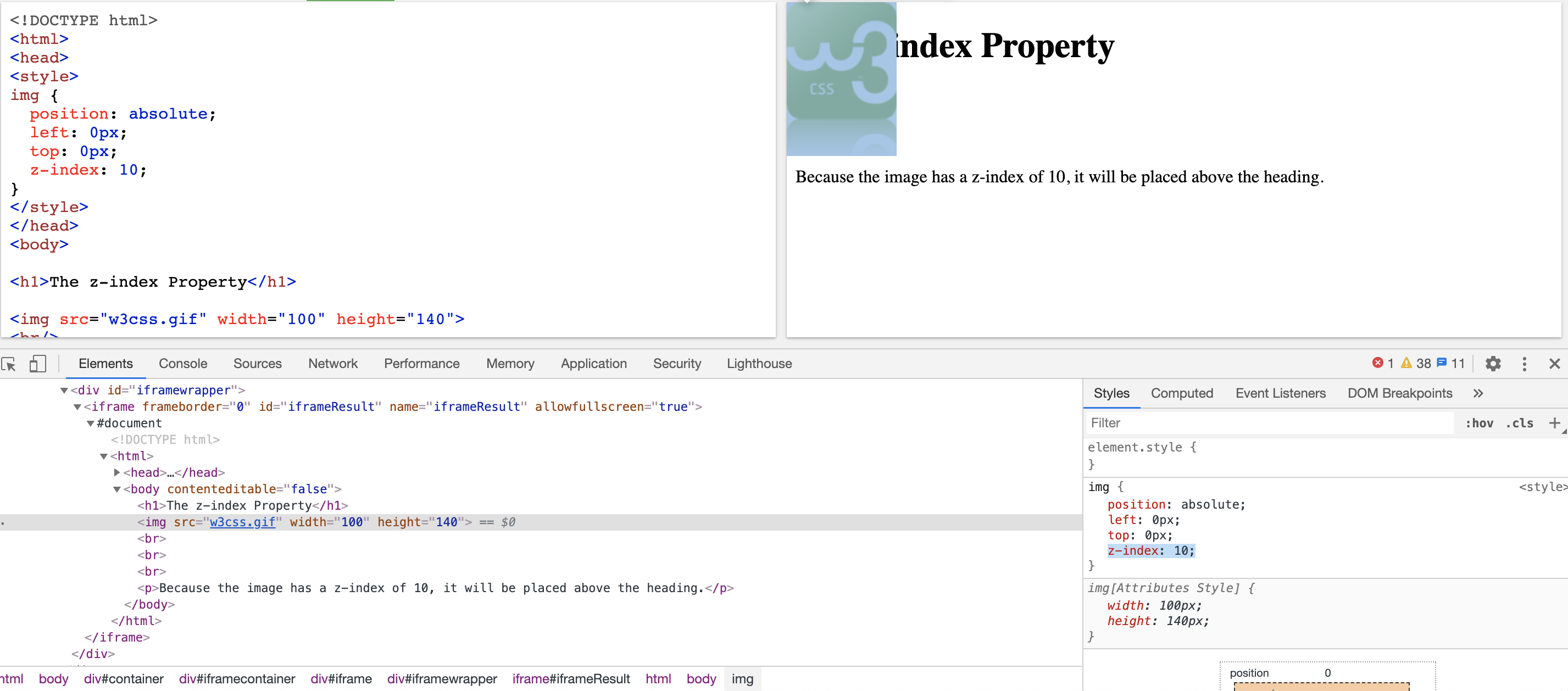
In this case, the z-index is 10 so you need to set Helppier's step/card to have a z-index of 9.
This can be done by opening the sidebar, check that you're on the right step, go to the last tab and change it to 9.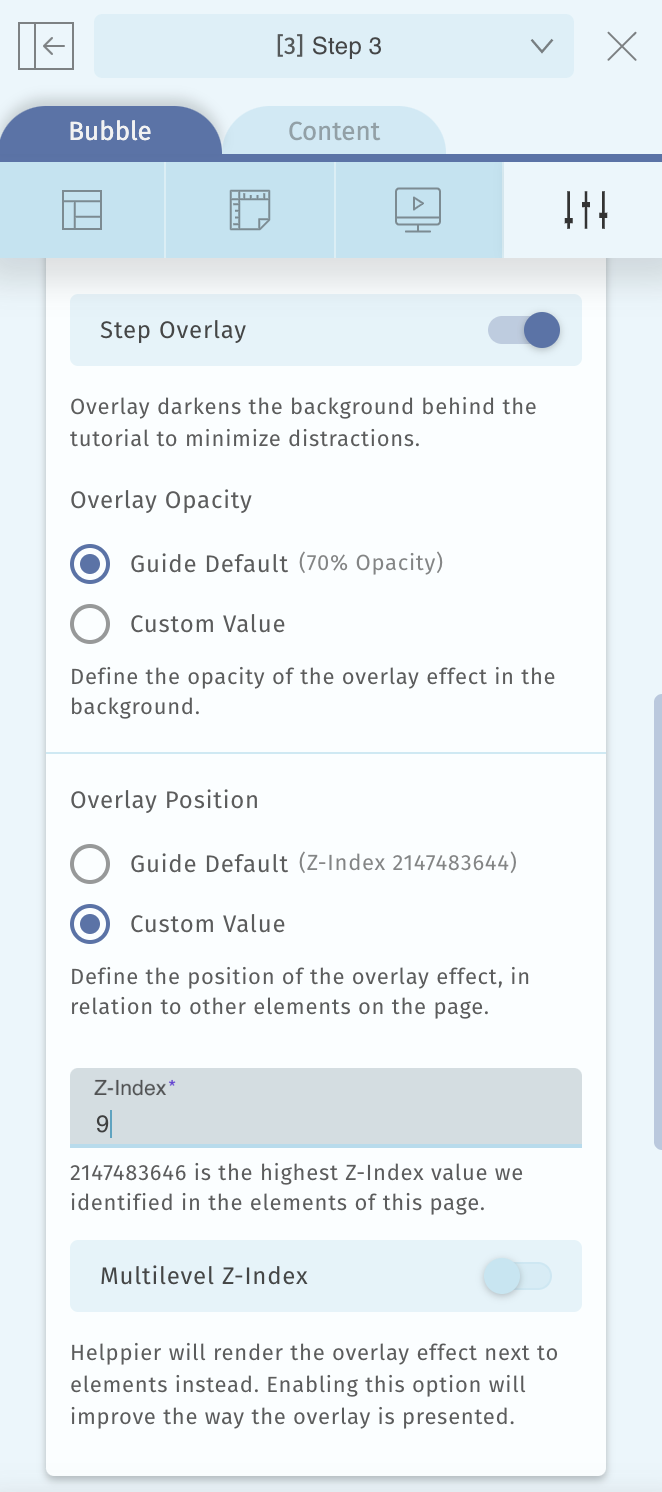
Note: Multilevel Z-index is an option that Helppier has if your page uses a Z-index stacking order.
Please use this with caution and only if you are sure that you use the Z-index stacking order. For this setting to always work you need to guarantee that the element where the step/card is attached to, is not hidden or removed from the page.
Comments
0 comments
Please sign in to leave a comment.