Helppier as a proprietary algorithm to find the elements where the steps or messages are attached to.
This algorithm tries to find the element in many ways, checking different attributes and scoring the accuracy.
If the html changes a lot depending on the user and the scoring is low for the element (for instance if one user has a menu with 3 entries and another has a menu with 4 entries with a different order) Helppier's algorithm might highlight the wrong element and that happens because the algorithm goes a long way and could promote a "false positive".
In order to overcome this, you can do one of two things:
1. Switch to manually setting the selector of the element that you want to use (this can be done on the sidebar).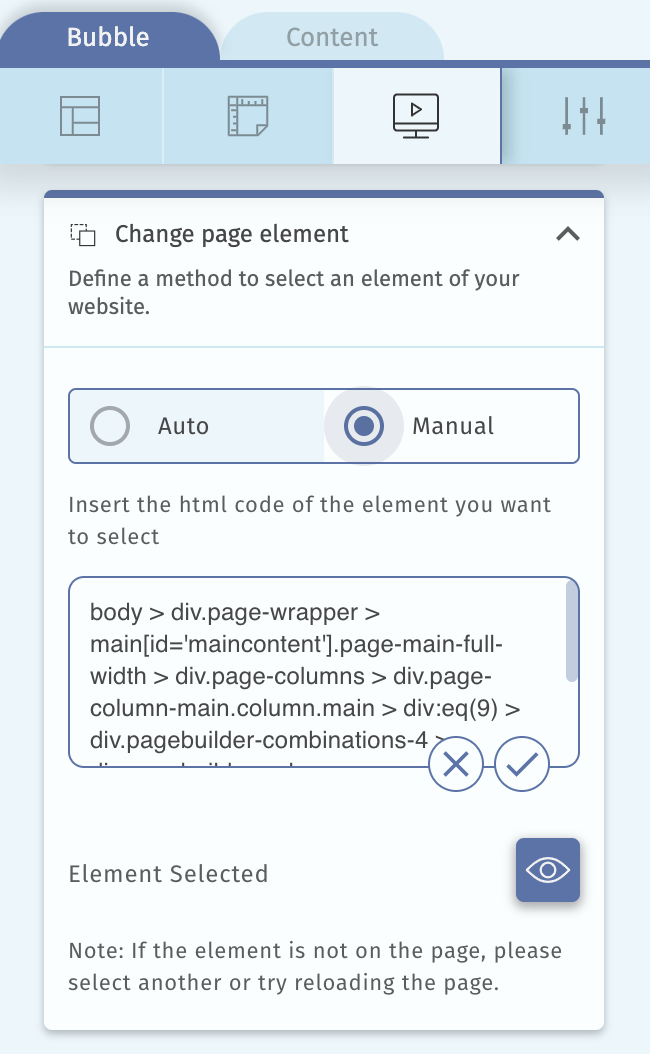
Note: To find the CSS selector of a page element:
Right-click the element in the page and click "Inspect". The Developer Tools window will open.
In the Elements tab of Developer Tools, right-click the highlighted element and select Copy > Copy selector.
2. Add a unique id to the element do Helppier uses it and set a minimum scoring of 200 (this can be done on the sidebar).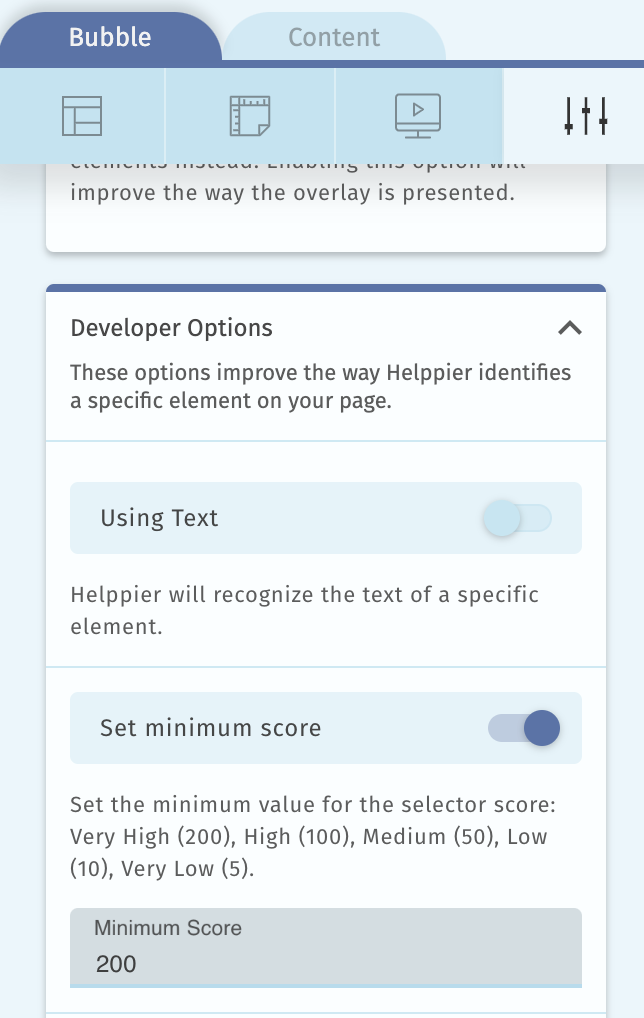
Comments
0 comments
Please sign in to leave a comment.