If you're getting this message when playing a guide or in-app message (admin users only):
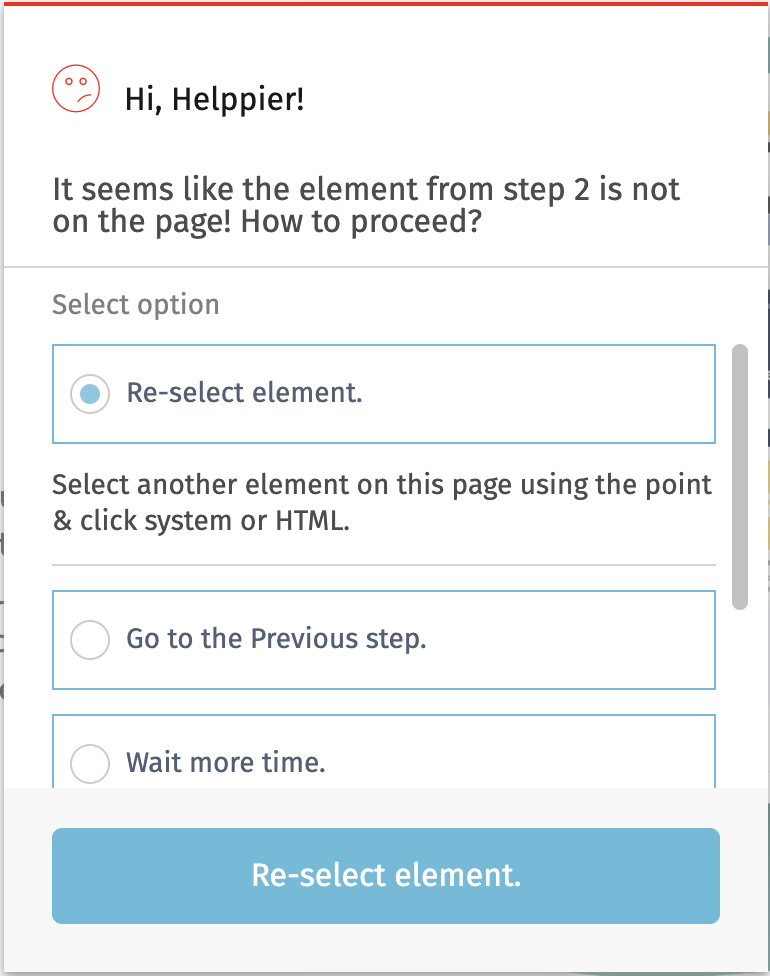
That means that Helppier did not found the element and can't add the step/message attached to it.
This can happen due to several reasons:
A) The website/web application was updated and the element was removed from the page.
B) The website/web application was updated and the element is in the page but its properties are not the same (ids, classes, path) has changed.
C) The website/web application takes too much time to load and the element is only showed after 5 seconds (the default time Helppier waits for it to show).
D) Element is present on the page only for certain types of users, for instance this could be a feature on the web site only available for advanced users.
E) You're playing the guide on a different page, and this element is present only on another set of pages.
F) Element is showed only after an action is made by the user (clicking a button or a menu for instance).
So we offer you several options:
1) Re-select the element: This helps with reasons A) and B)
2) Wait more time: This helps with reasons C)
3) Continue with the defined fail behaviour: This help with D). For instance you can set an error message alerting the user that the feature is not available for him/her.
Reasons E) and F) need to be solved in a different way:
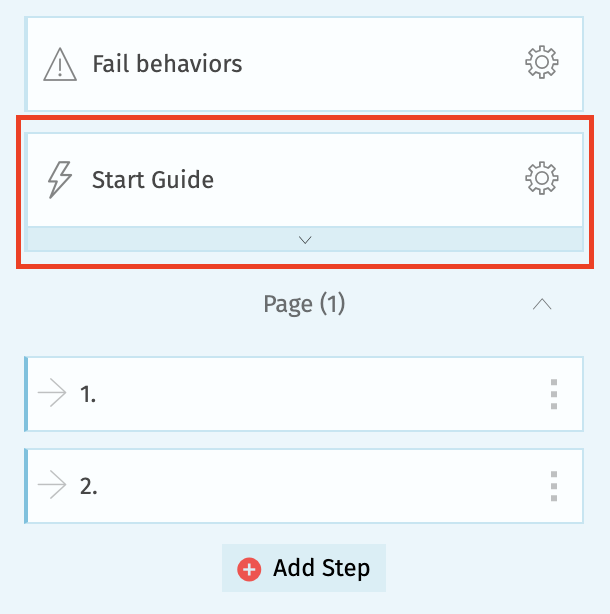
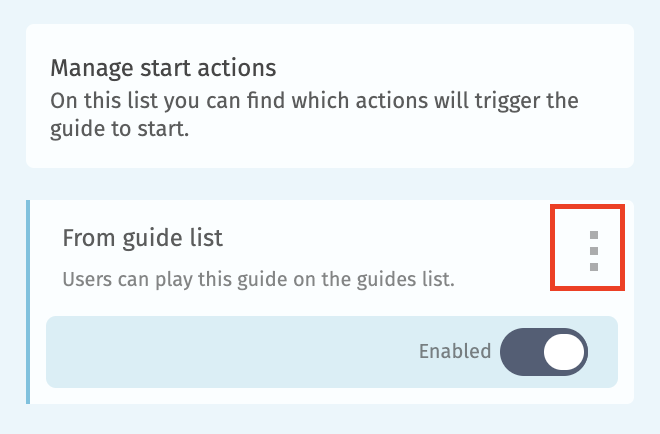
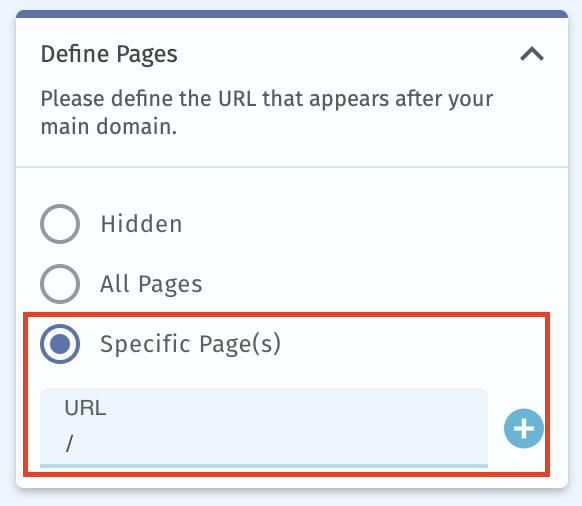
4) Set the guides to show/start only in the pages where the element exists: This helps with reasons E)
This configuration can be done in the "Start Guide" when editing a guide.
 |
 |
 |
5) Change the previous step type to wait for a click action by the user, for instance to wait for the user to click on a menu: This helps with reasons F)
This can be done on the sidebar: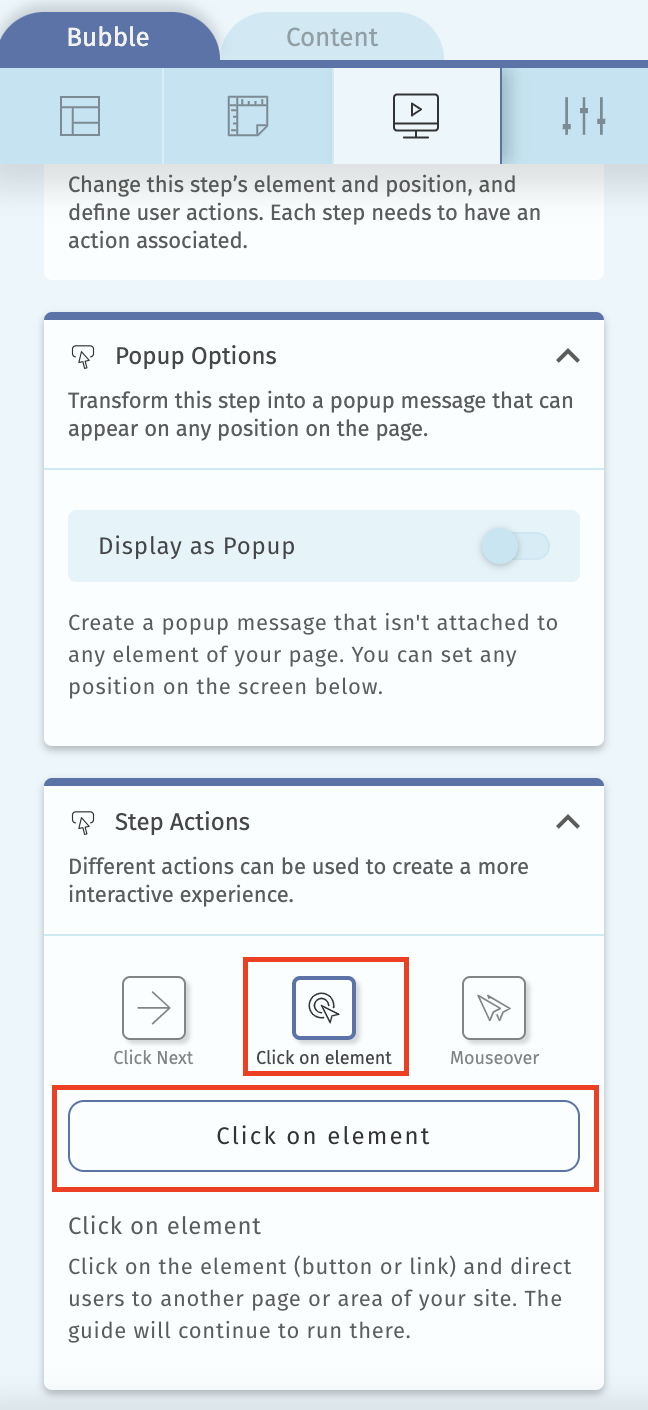
Extra options:
There are other options in Helppier to overcome this problem, for instance for the reason D) you can set the step to be "skipped", so if the element is not found, Helppier will automatically move to the next step. This can be done on the sidebar: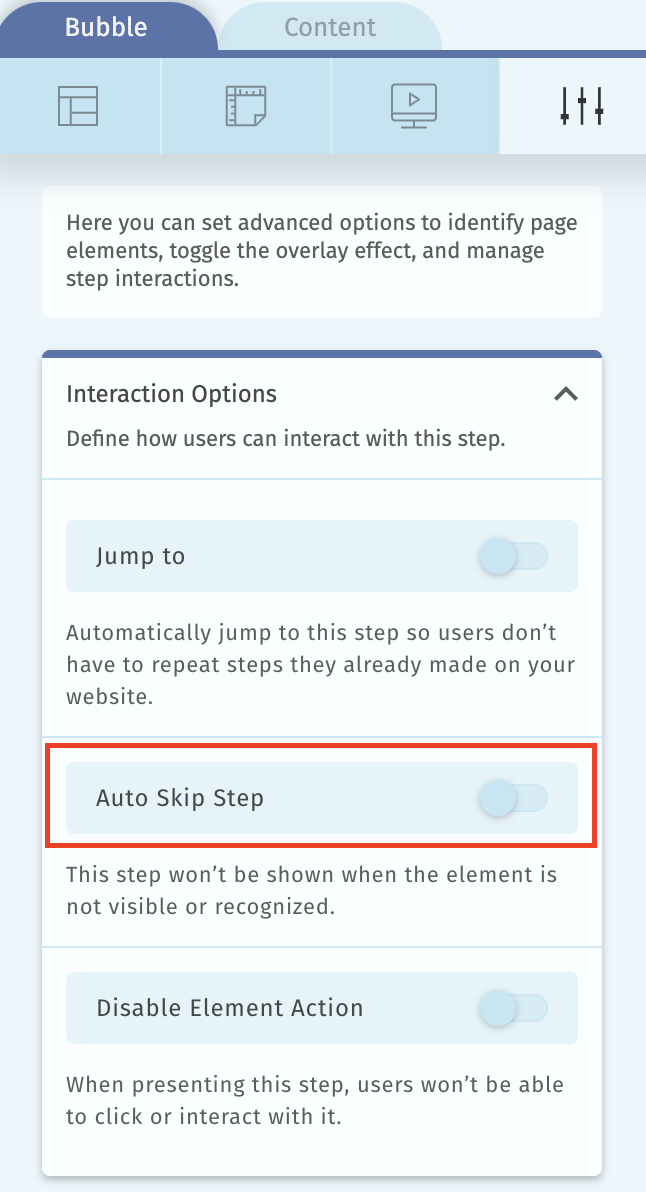
Comments
0 comments
Please sign in to leave a comment.