Helppier allows to onboard and introduce your website or web application to online visitors.
You can configure a welcome message to show when users enter your website.
See how to do it in this article.
After recording your welcome guide and adding content (images or text) to your steps, make sure to save.
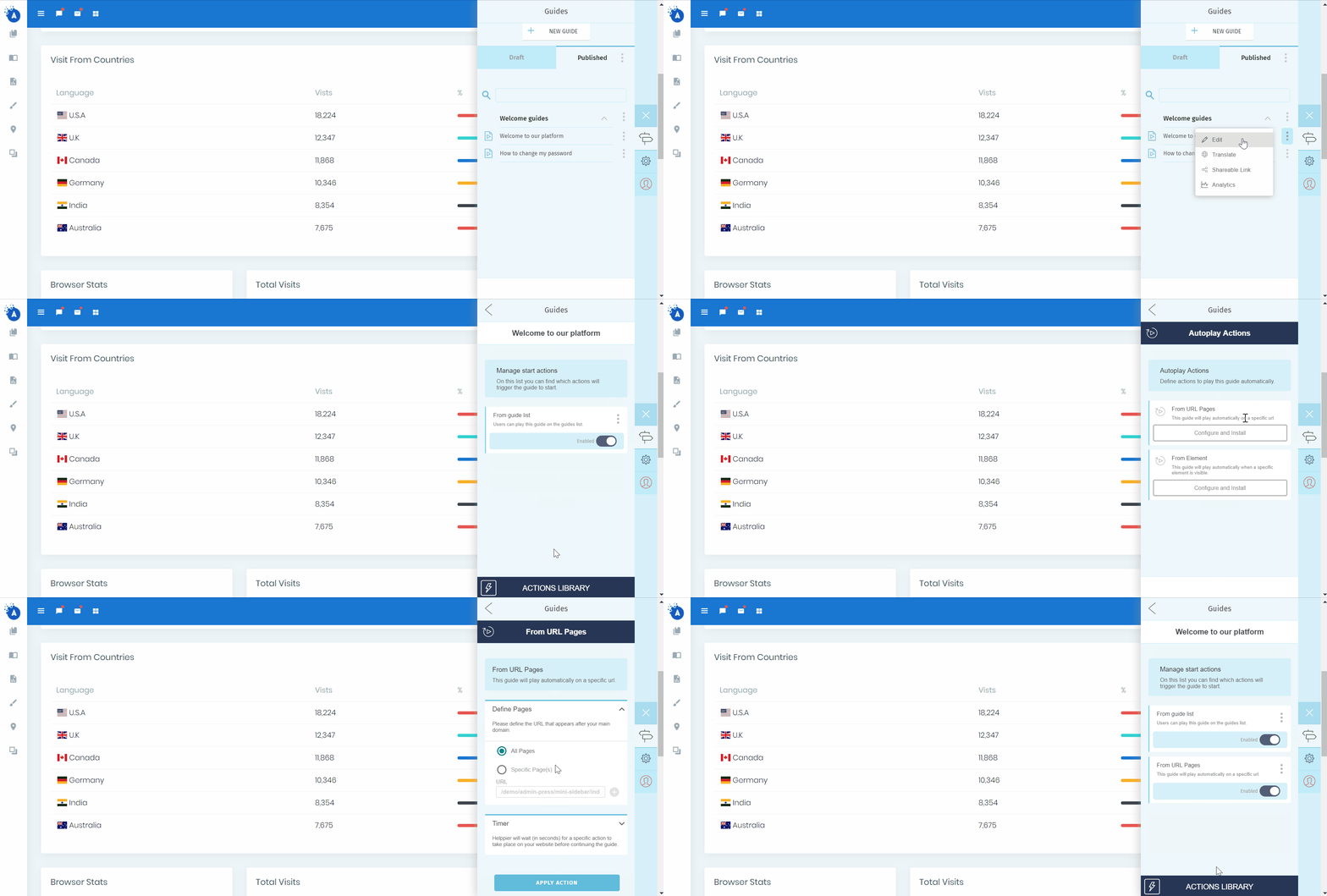
1. Go to your guide's list, available on the left side of the widget.
Look for the guide you want to configure. Press the edit icon.
Look for the guide you want to configure. Press the edit icon.
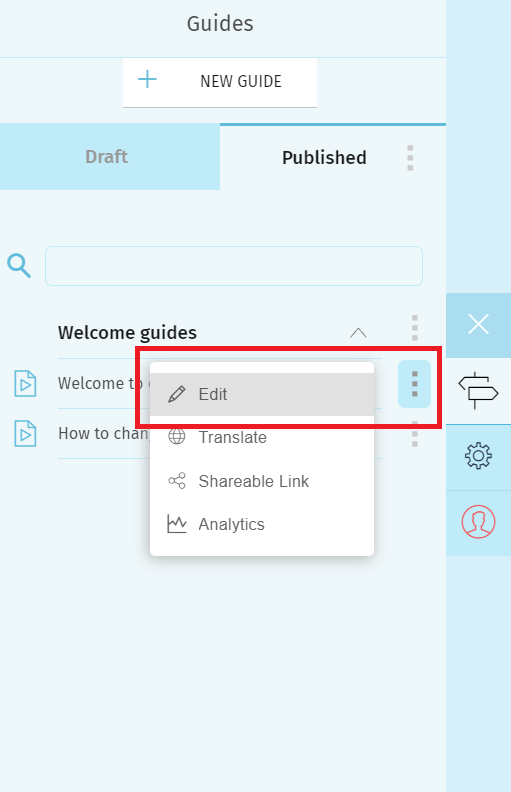
2. Click on the start guide option.
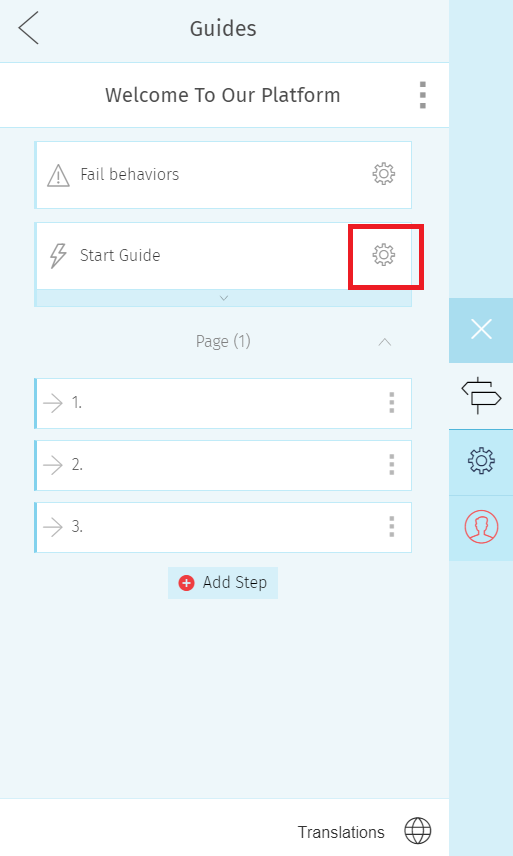
3. Click on the actions library

4 - Select the Autoplay from URL Pages
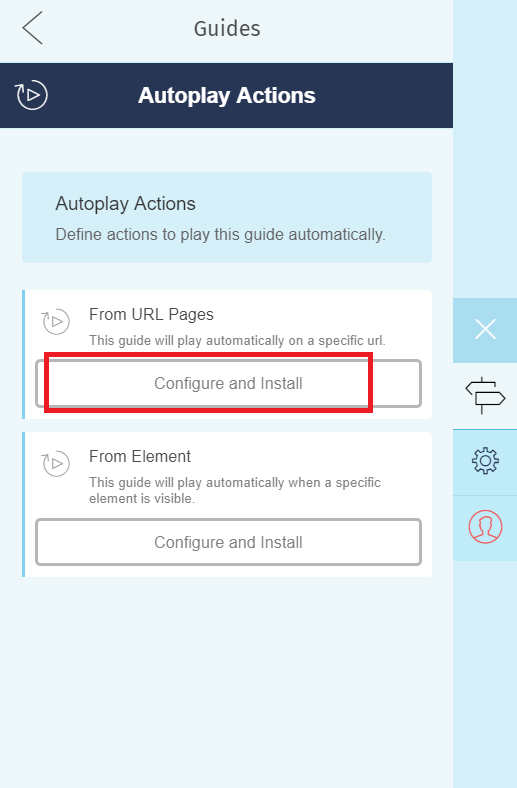
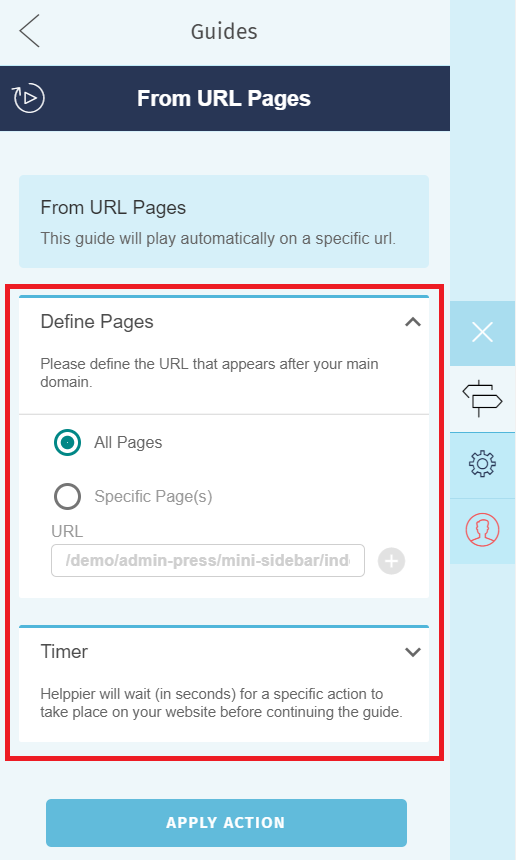
5 - Define if you want the guide to start when a user enters any pages of your website or a specific url.
To see the autoplay in action you need to logout and play the guide.
Make sure it is published.
Comments
0 comments
Please sign in to leave a comment.