With Helppier you can customize your tours and in-app messages by adding or removing blocks.
You can add blocks of images, videos, text, buttons, and dividers.
Follow these instructions to add blocks to your in-app message
1. When recording your guide/message, mouse over to an element inside your bubble and click the "Plus" icon that appears.
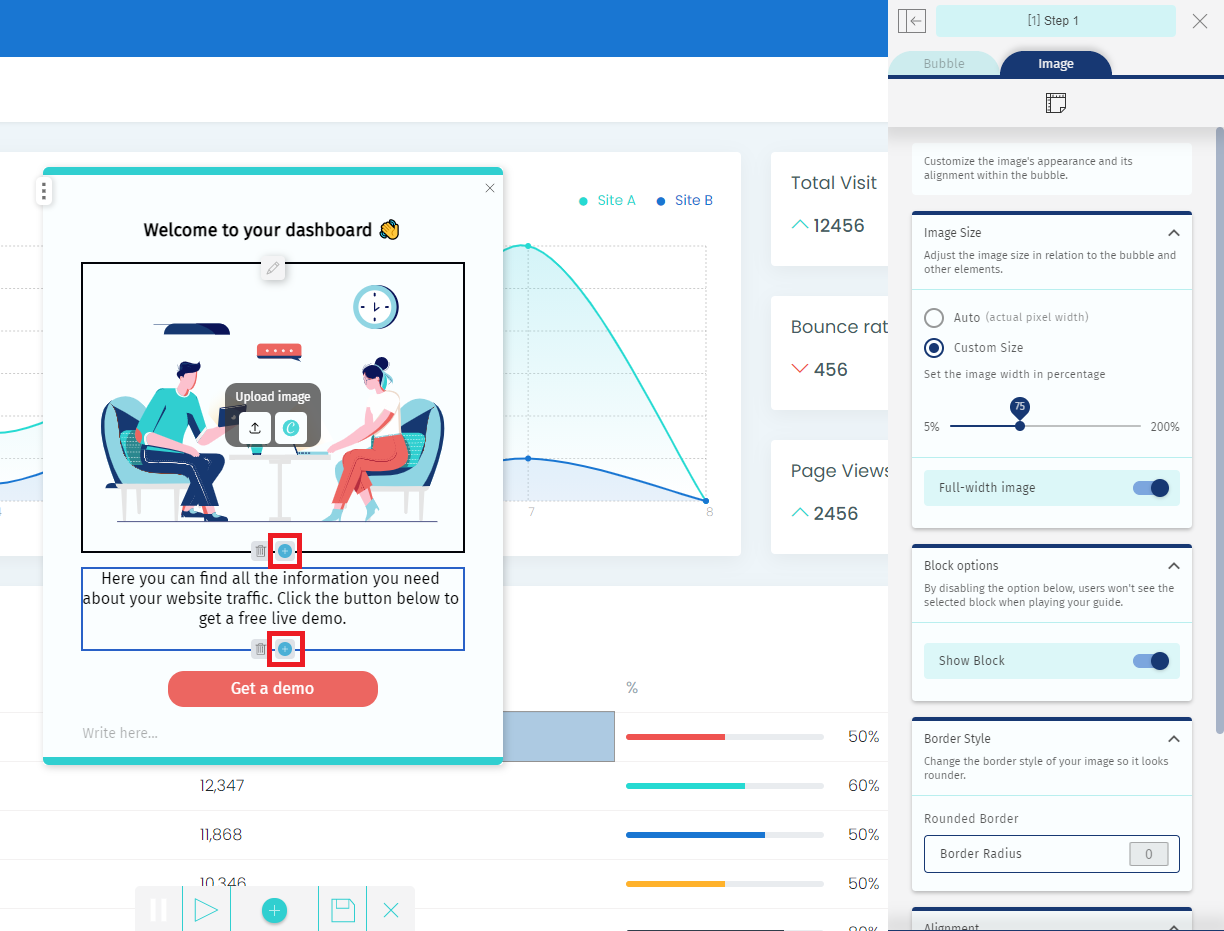
2. Select the type of block that you'd like to add: image, video, text, button;
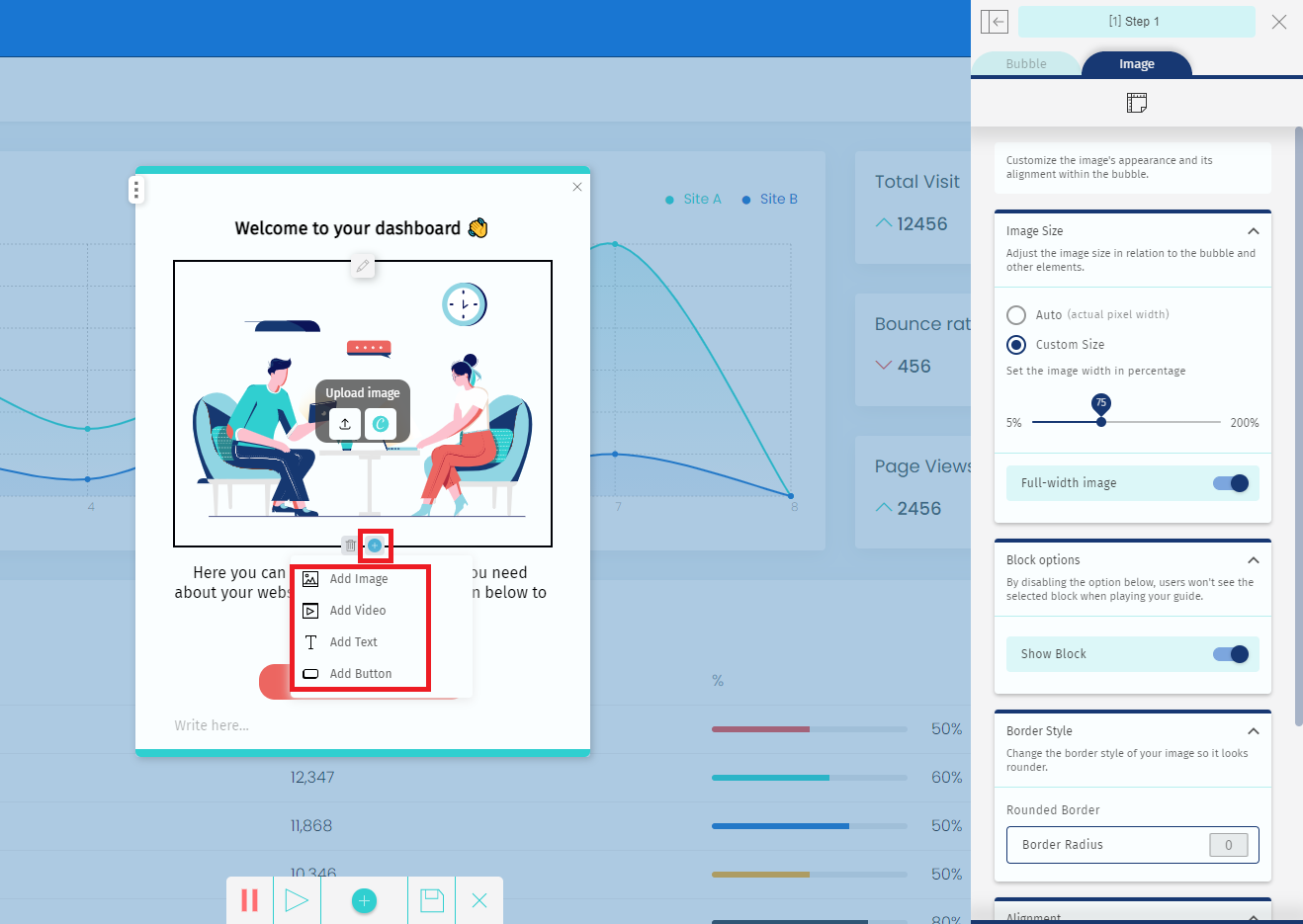
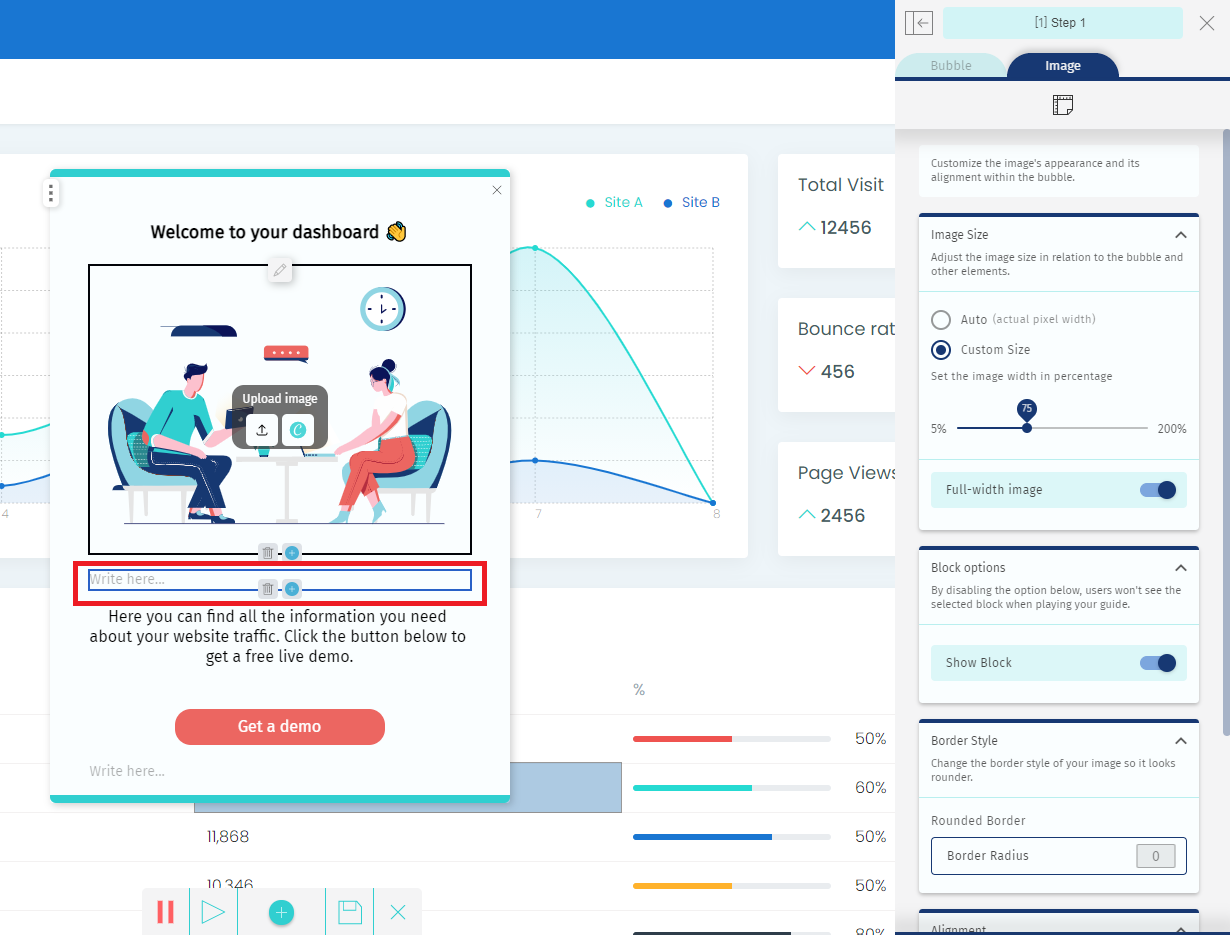
3. The new block will be added after the selected element.
Follow these instructions to remove blocks
1 - Mouse over to the block you want to delete
2 - Click the "Delete" icon. A message will appear to confirm.
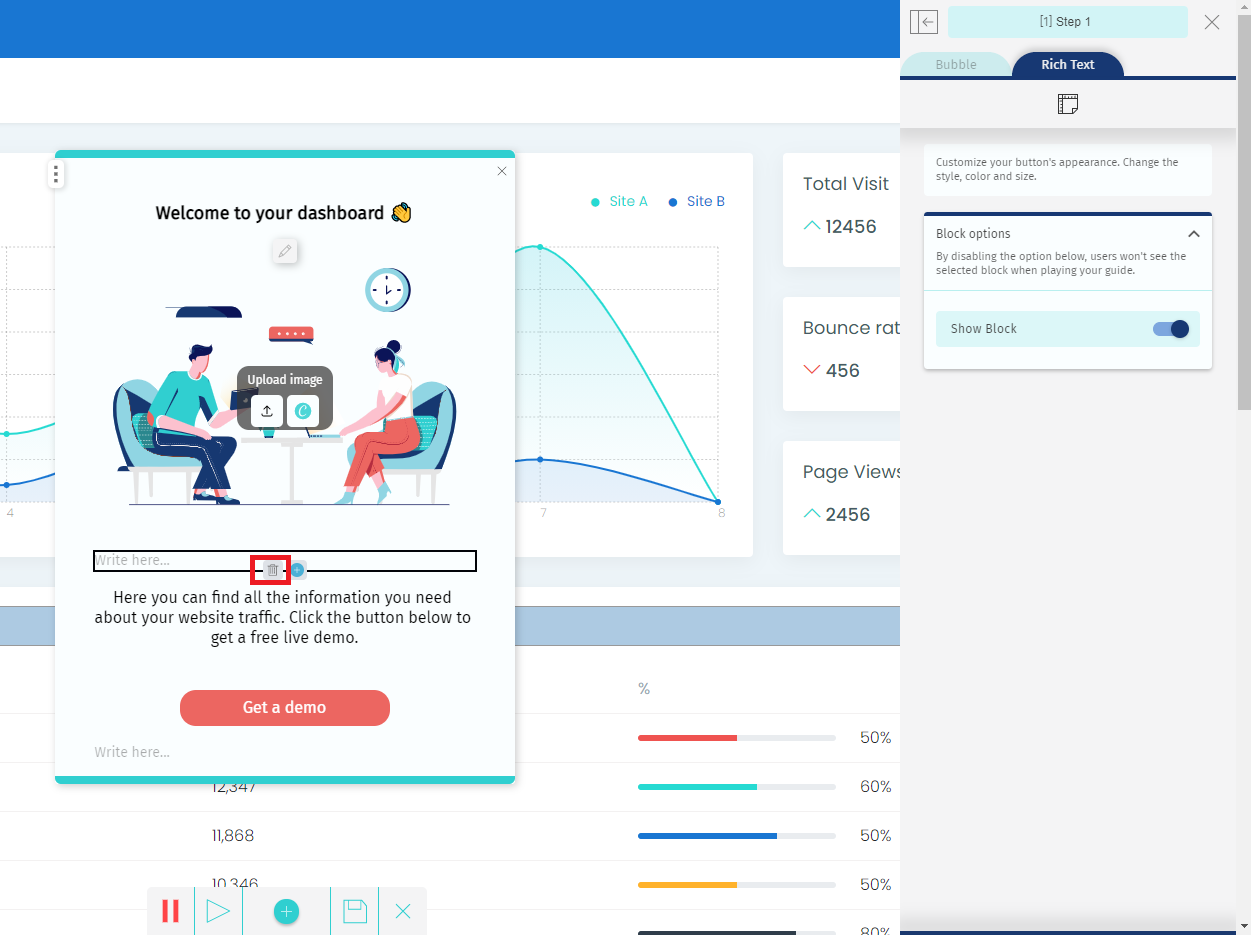
3 - An empty block will appear.
Click delete again to remove it completely.
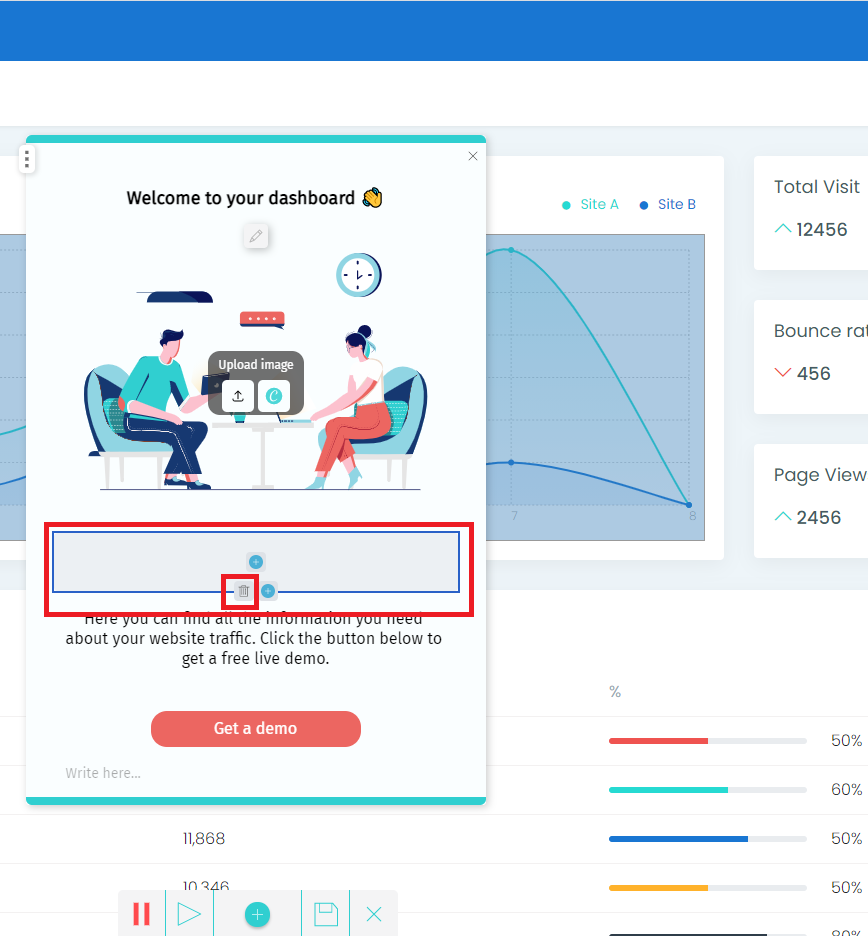
Your block will be removed.
Make sure to save your changes using the bottom bar.
Comments
0 comments
Please sign in to leave a comment.