After customizing and recording your guide you can easily target it and publish it to end-users. In this article, we'll help you do just that.
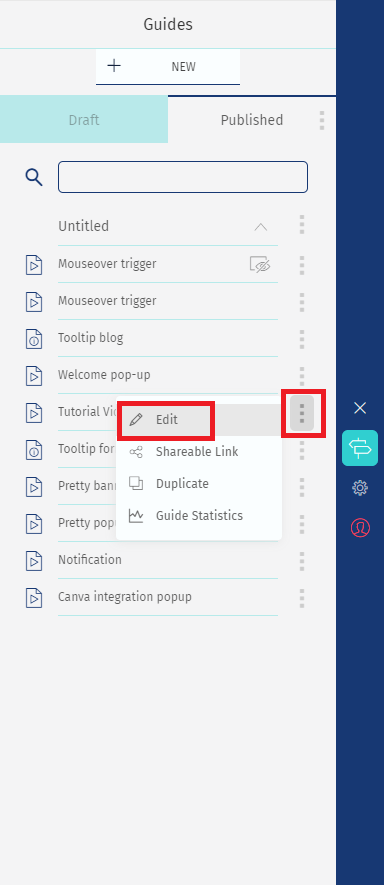
1 - On your guide's list click on "Edit"
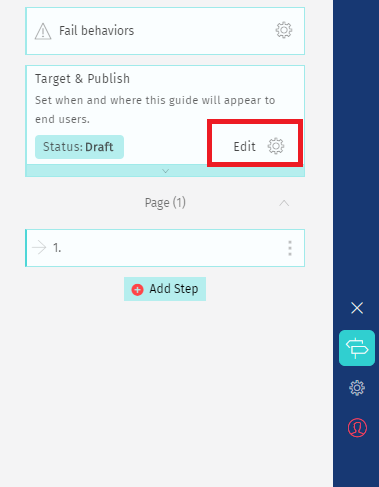
2 - You will see an option called "Target & Publish". Click on the edit icon;
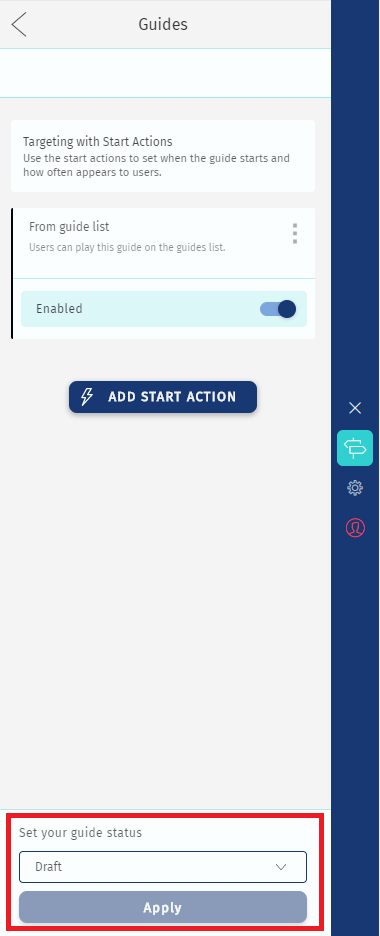
3 - On this screen, you can define your start guide actions.
Click on "Add start action" if you'd like your guide to start automatically.

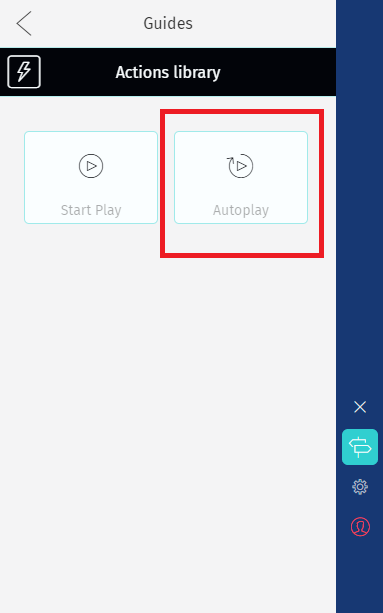
4 - Select the option Autoplay, you will have two options.
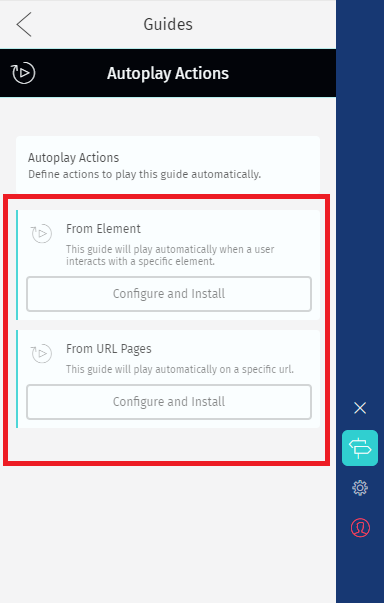
Start from URL - your guide will start automatically when users enter a specific page.
Start from Element - your guide will start automatically when users click or mouseover a specific element from your page.
5 - Once you click "Configure and Install" you can define when and where your guide will appear to users. And also define custom segmentation.
Learn more about guide frequency and segmentation.
6 - After you set up your guide's start actions, go back to the list and disable the option "From Guides list" - if you only want the guide starting automatically.
7 - At the bottom of the screen, select the option "Published" and click Apply.
Then, use the back arrow to keep creating guides and everything will be saved.
To see your guide as an end-user, logout your Helppier account, refresh the page and take the necessary action to trigger the guide to start.
Comments
0 comments
Please sign in to leave a comment.