In recording mode, you can easily add different types of messages such as a popup or an NPS survey in the middle or at the end of your tour.
To do so, please follow these instructions.
1 - In the recording mode, click on the new "Add" (+) icon located at the bottom bar;

2 - You will have three different types of messages that you can add: a popup, an NPS, or a tutorial step.
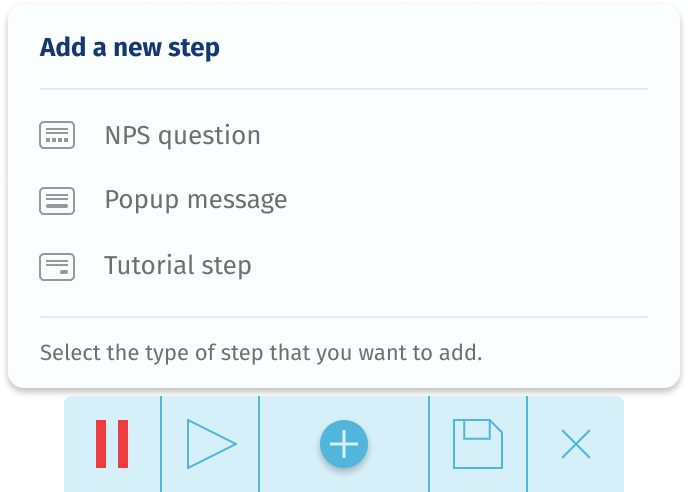
3 - Click on the option that you want and it will be quickly added to the middle of your tour.
You can also add a normal tutorial step and completely customize it using the sidebar. In this way, you can add warnings, popups, notifications, banners, and much more to your tour.
Learn more about creating guides and customization.
Comments
0 comments
Please sign in to leave a comment.