You can create guides that start automatically when a user visits a page or interacts with a specific element.
We provide a feature called "Start Guide" that allows defining triggers for any guide you want.
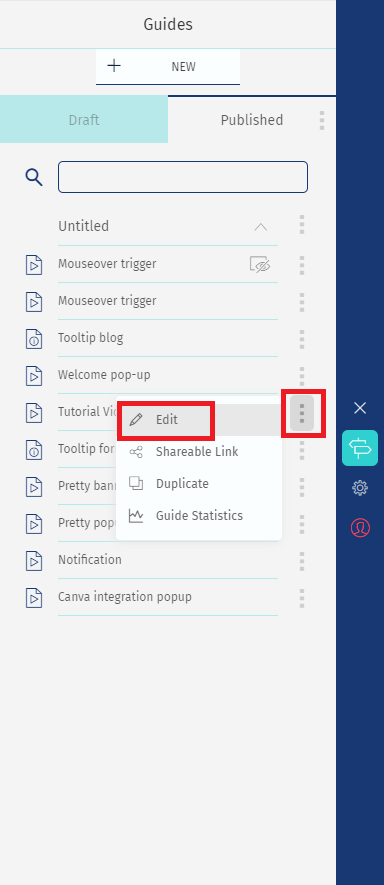
1 - Select the guide and click on "Edit"
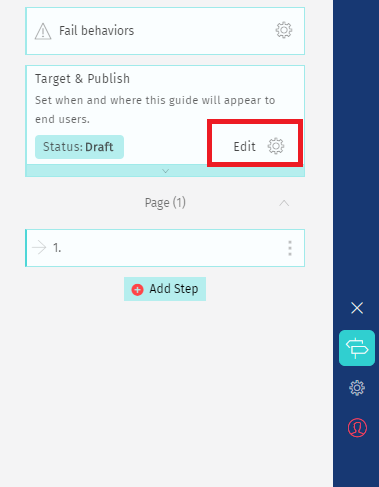
2 - Click on the "Edit" icon located in the "Target & Publish" card.
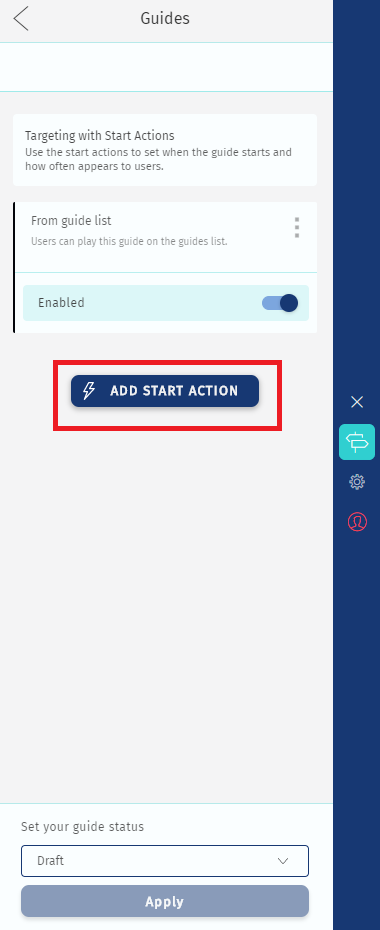
3 - Click on "Add Start Action"
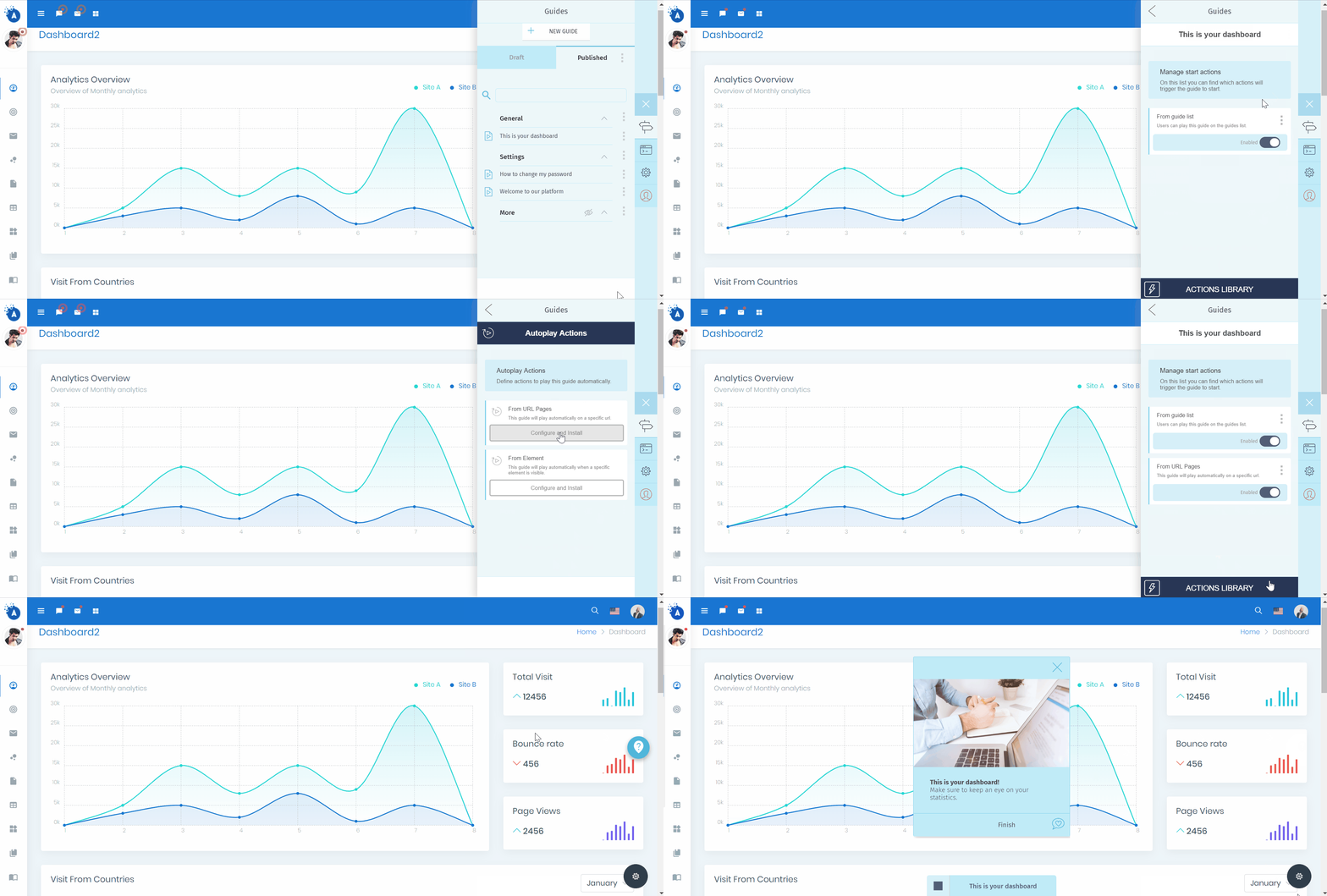
4 - Select AutoPlay. There you have two options "From Url pages" and "From Element".
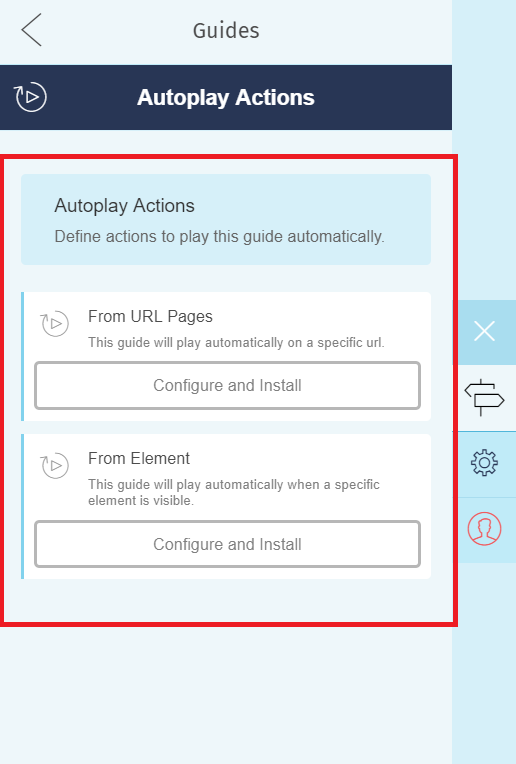
From URL: guides that start when a user enters a specific url
Using the AutoPlay feature, you can present a guide when users enter your website or a specific url.
From Element: guides that start when a user clicks in an element or mouseover some area on the website
Present a guide automatically when the user enters your platform and clicks on a new button or mouseovers a promotional area of your website.
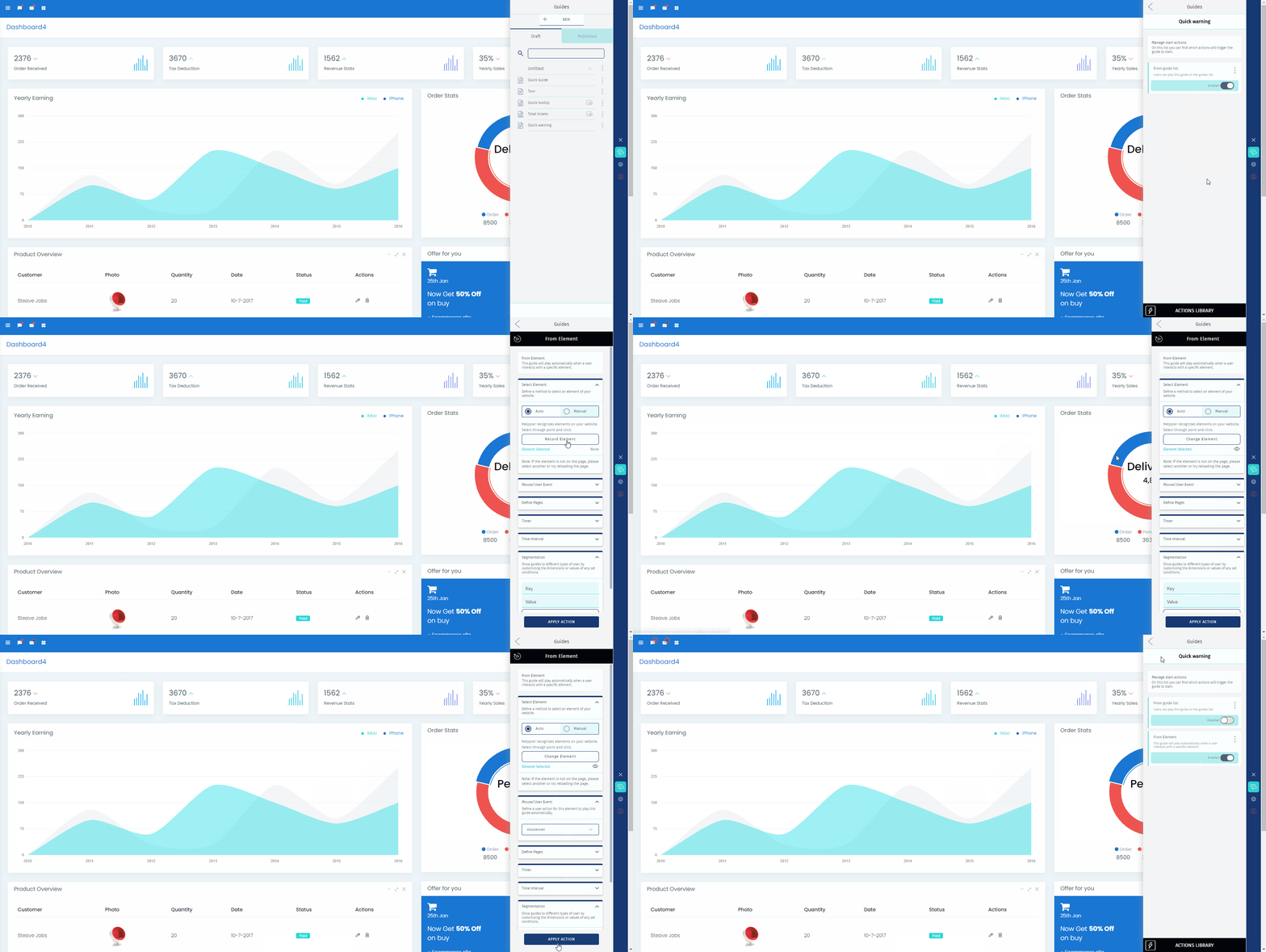
If you don't want your automated guide to appear on Helppier's guide list on your website you need to disable the option "From guides list" on your start guide actions list.
To see the Autoplay make sure your guide is published. Logout of your account and refresh the page.
Comments
0 comments
Please sign in to leave a comment.