Guide Visibility
You can either set a guide to be hidden, visible in all pages, or just on specific pages.
Meaning that the guide might not be appearing on the Guides List on every page of the website. You should, therefore, modify your guide’s options on its visibility. You can learn more here.
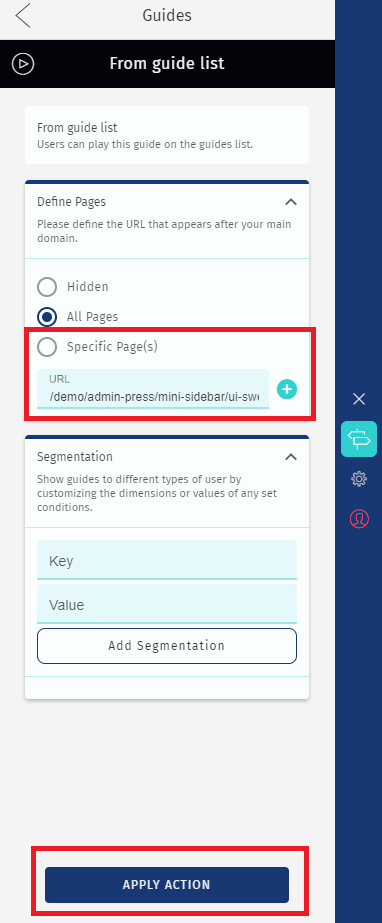
Segmentation
If you are using the Segmentation feature, you can also make a guide appear or not on the guides list by narrowing and distinguishing the groups of people you actually want to access a certain guide.
Therefore, if the user visiting the site does not correspond to the audience you’re targeting with a certain guide, it will not appear. For it to appear you have to adjust your segmentation preferences.
Guide on Draft Mode
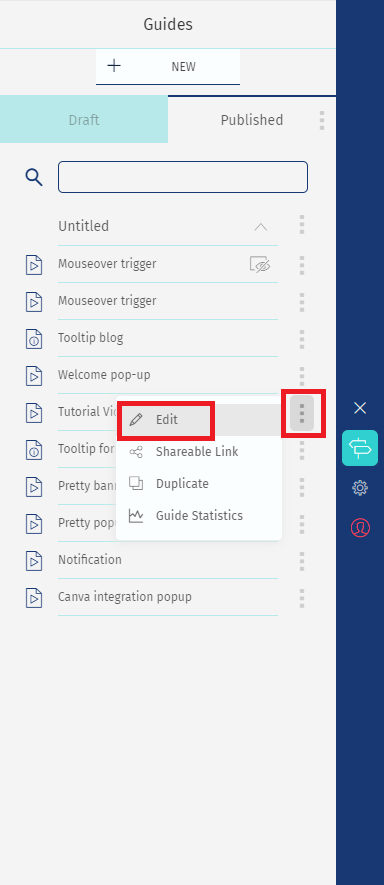
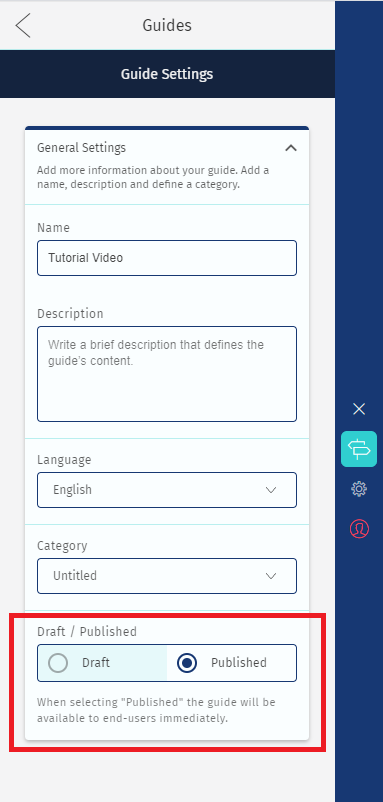
The guide might be on Draft Mode. Thus not visible in the Guide List. You have to make the guide public for it to appear.
A guide might also not be visible because the person does not have permission to see it. For instance, as an administrator, you have the power to make a guide visible or not, which means that while you can see it, others cannot.
Device Options
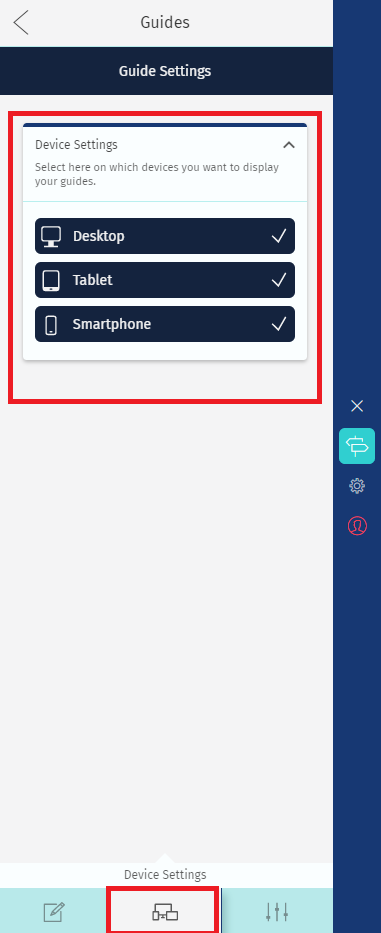
According to your Device Settings options, the guide might not be visible on certain devices.
You just need to modify those settings for it to appear. See here how to set up and check device options.
Comments
0 comments
Please sign in to leave a comment.